Quick Starters
Now that you've built your first template and understand the Builderius workflow, let's scale up to a complete website using Quick Starters.
Quick Starters create a full set of templates, header and footer, and styling frameworks in one go - giving you a professional foundation to build upon.
Start building faster
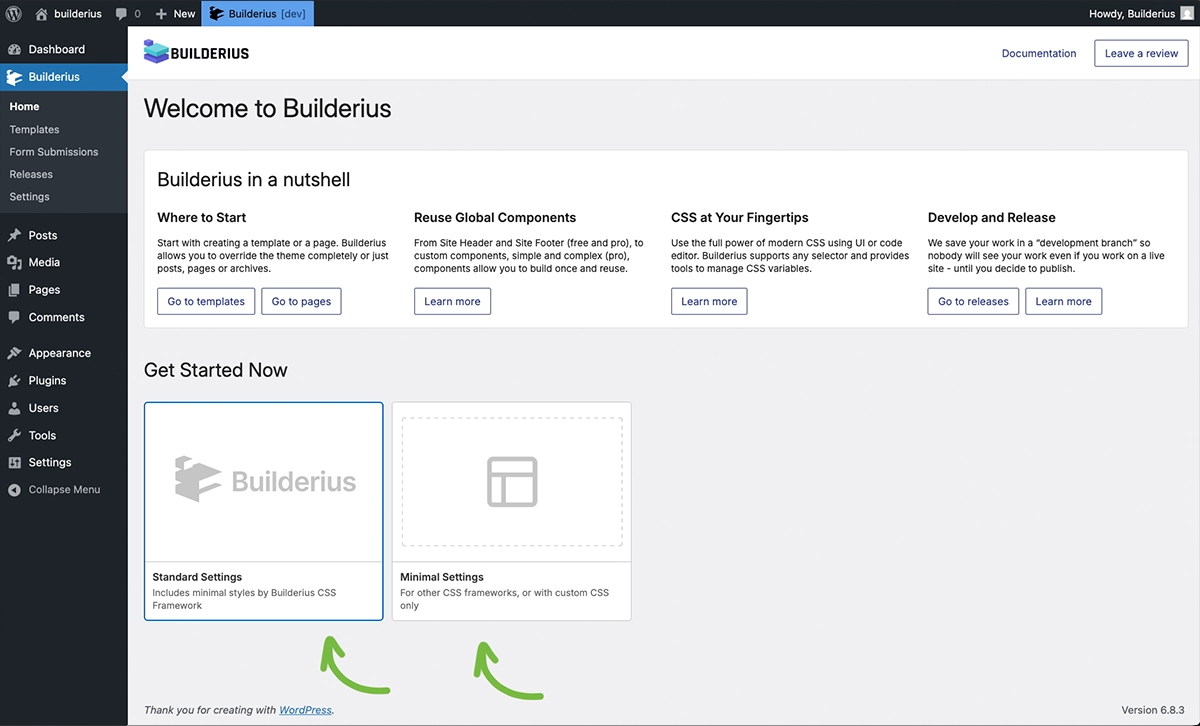
On your Builderius home page, find the Get Started Now section. Choose between two options: Standard and Minimal.
If you're running quick starters after doing some work, save your current work as a release before proceeding. Quick starters create a new release and will overwrite any unsaved changes. Saved releases remain untouched.
Standard Settings
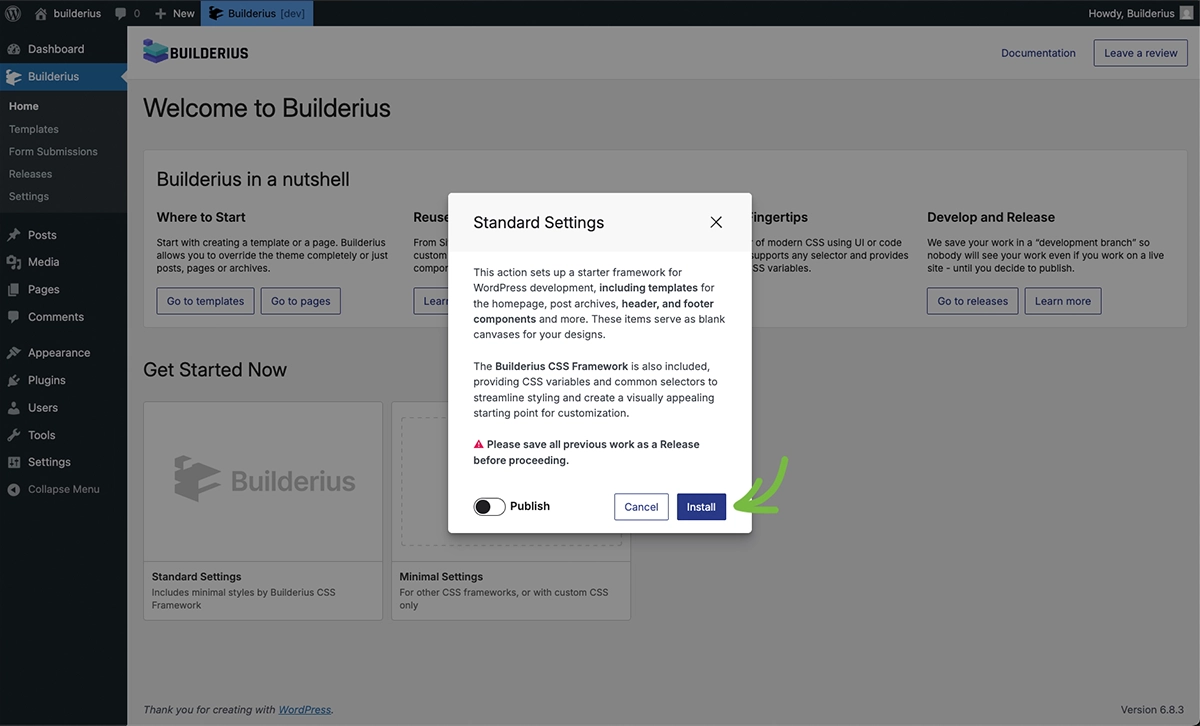
Standard Settings replaces the traditional role of starter themes. It creates commonly used templates, a CSS framework, and a Builderius Style Guide page in one go. The Style Guide contains built-in elements that let you instantly preview global design changes. Standard settings provide a lightweight, sensible starting point for almost any build.
Templates Created
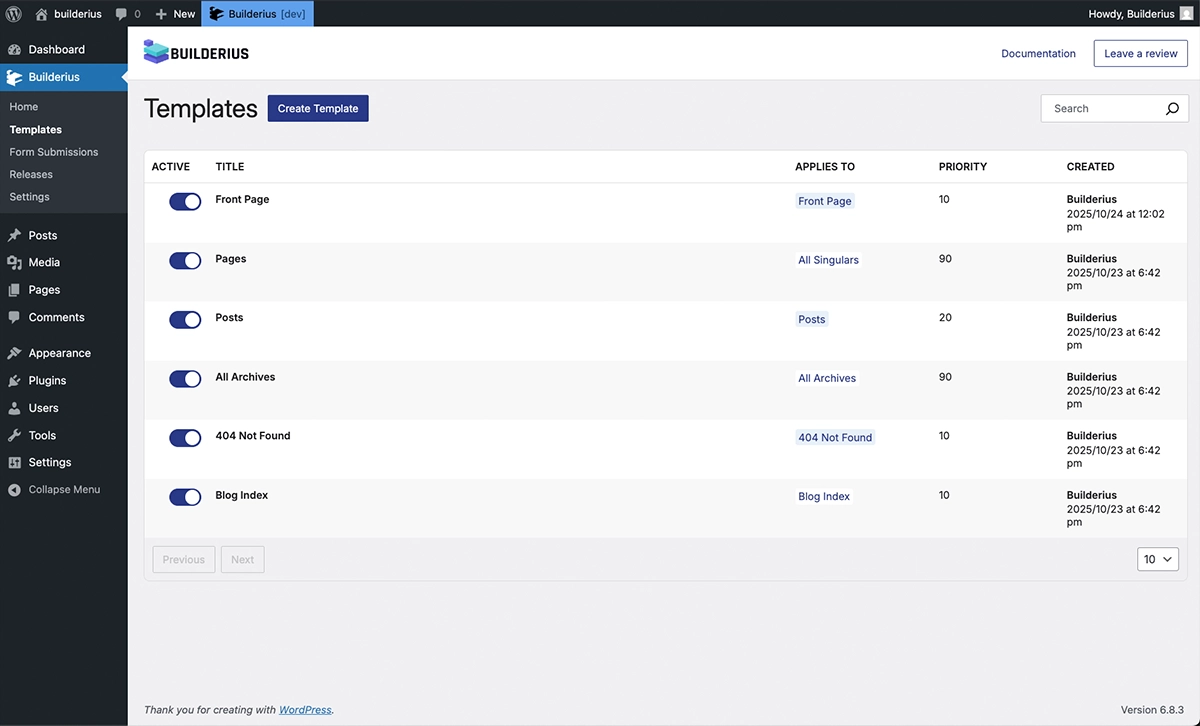
After running Standard Settings, you'll find these templates in your templates area. They cover minimum requirements for most websites, but feel free to modify, remove, or add templates to fit your needs.
Builderius Style Guide
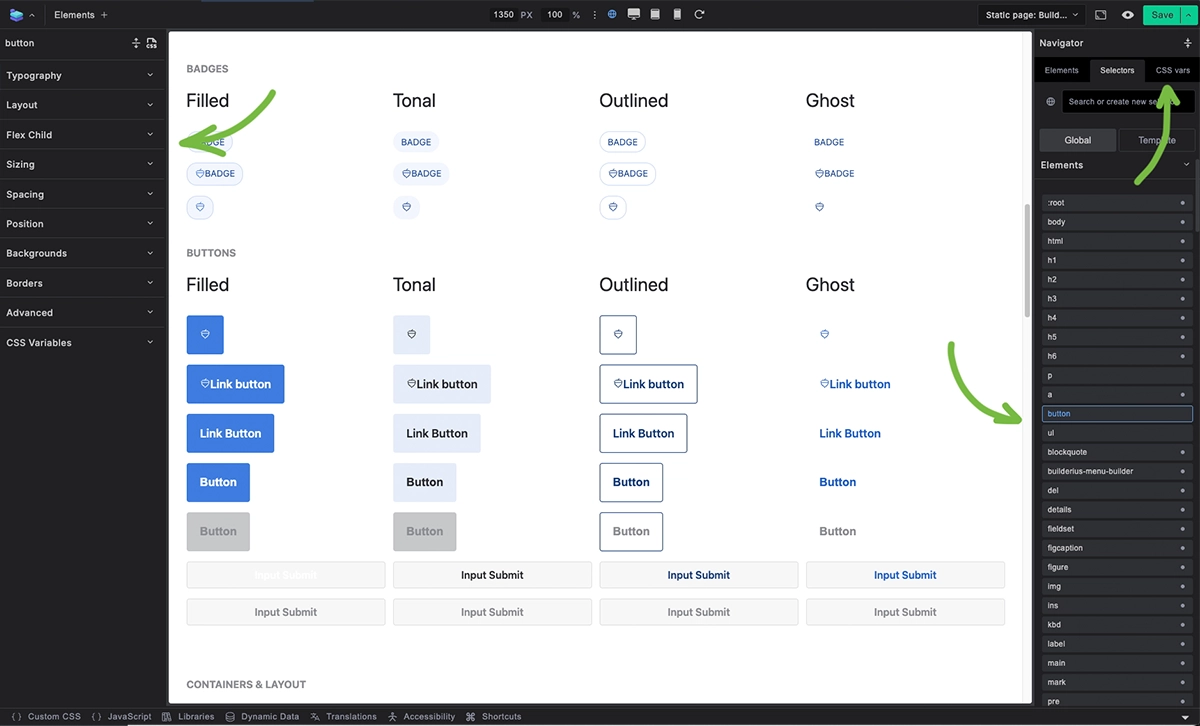
Open the Builderius Style Guide page created by Standard Settings to adjust global styling using selectors and CSS variables. Preview results immediately, as this page displays examples of each global style for your convenience.
Minimal Settings
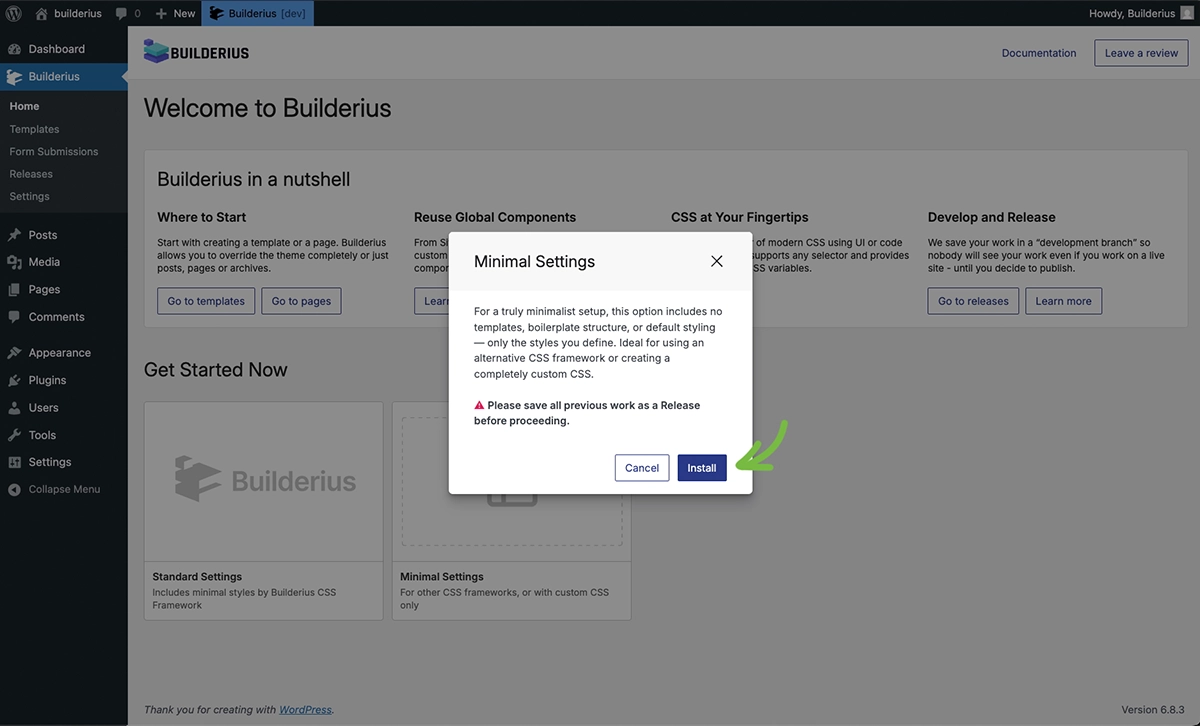
Minimal Settings provides absolute minimal setup. It removes the entire CSS framework, leaving only functional CSS needed for element operation. It also empties the built-in Site Header and Site Footer components. Use this option when planning to use another CSS framework or when you want complete control over every line of generated code.
Clean Slate Results
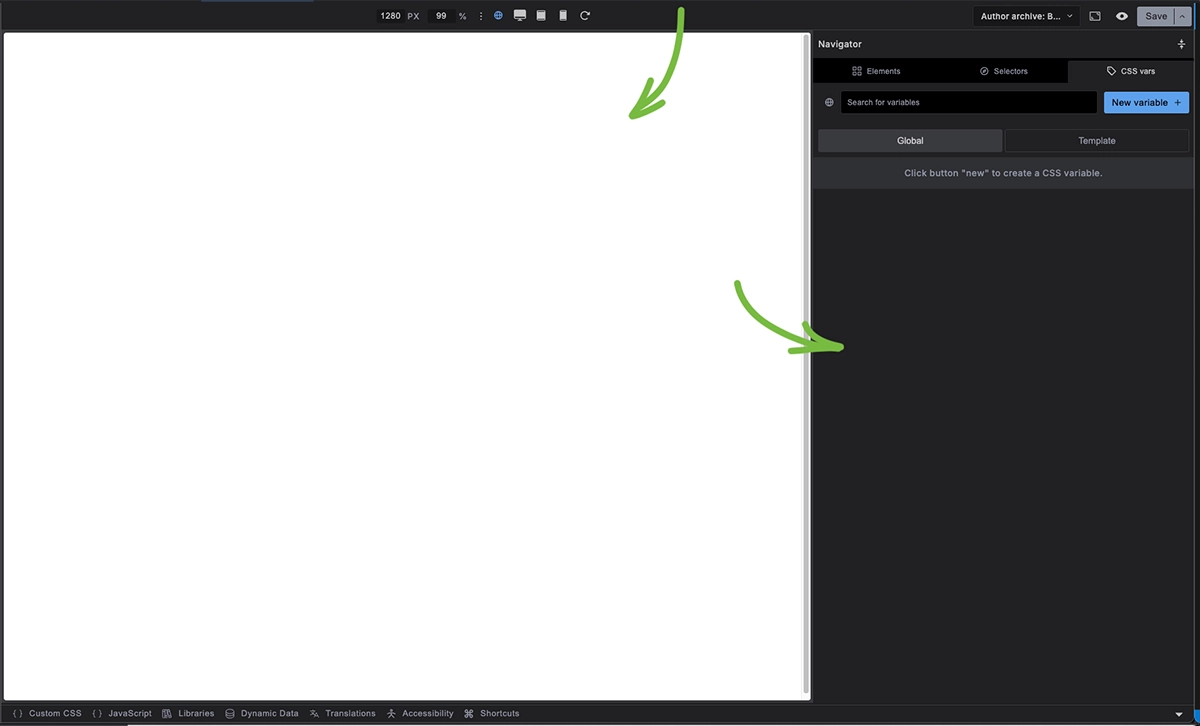
After running Minimal Settings, you'll find no templates in your templates area. When you create your first template, you'll see a completely empty canvas with empty site header and footer components and no premade styles.