Collection
The Collection element is the main looping mechanism in Builderius, designed to display repeating data from any source. It works with array data in JSON format but is completely agnostic about where that JSON comes from - whether it's WordPress native data, ACF, Meta Box or other fields, REST API endpoints, or static JSON arrays.
This is an interactive element - a custom Builderius web component that provides advanced functionality bridging dynamic data, interactivity, and HTML structure. Learn more about element types →
This element creates multiple nested HTML elements to provide advanced and flexible functionality. Learn more →
What Gets Created
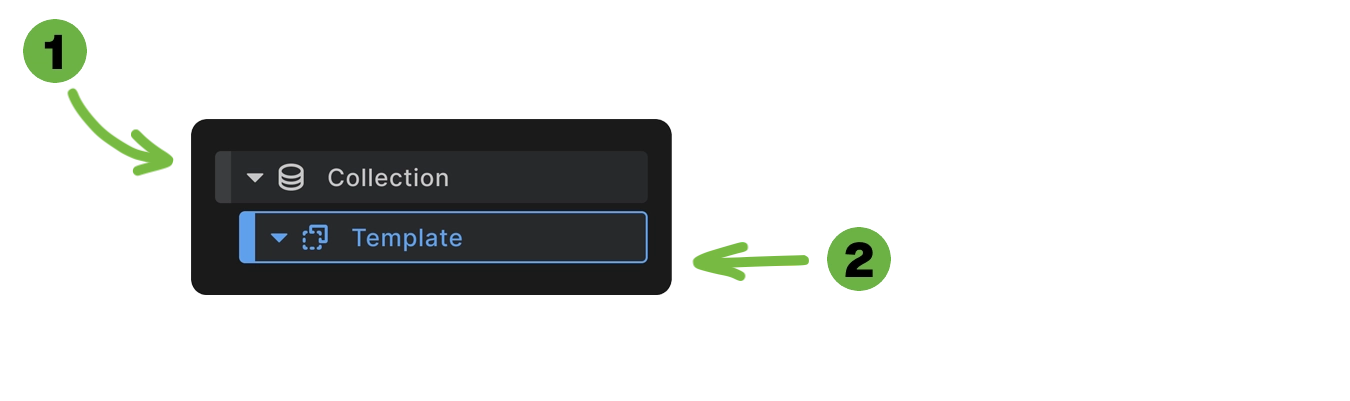
When you add a Collection element to your canvas, Builderius automatically creates:
- Collection container - The wrapper element with your chosen HTML tag
- Template element - A non-rendering container where you place repeating content
<div class="collection-wrapper">
  <!-- Template content repeats for each data item -->
  <div class="loop-item">
    <h3>Item Title</h3>
    <p>Item Content</p>
  </div>
  <!-- Repeated for each array item -->
</div>
This structure allows you to design once and repeat for any number of data items.
How to Use Collection
- Add to canvas: Insert the Collection element where you want repeating content.
- Connect to data source: Choose from static JSON, REST API endpoints, or WordPress dynamic sources.
- Design template: Add elements inside the Template element - these will repeat for each data item.
- Bind dynamic content: Use dynamic data within template elements to display item-specific information.
- Refresh when needed: Use the "Run" button to update the loop when data changes.
Collection Element Settings
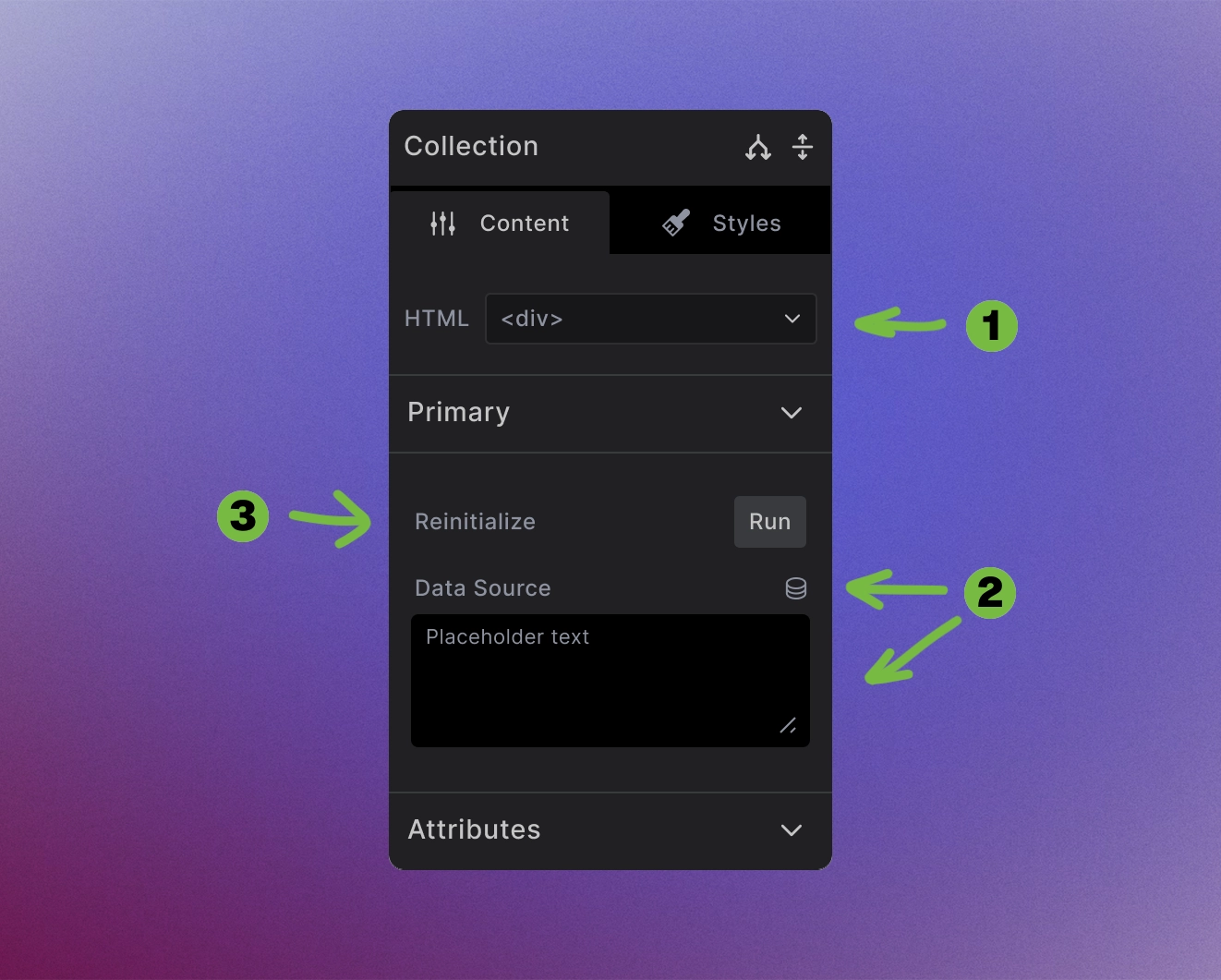
The Collection element provides powerful looping configuration options:
1. HTML wrapper: Choose any HTML tag (<div>, <ul>, <section>, or <builderius-collection> for interactive mode).
2. Data Source: Connect to array data through multiple methods:
- Static JSON - Paste JSON directly in the content area
- REST API - Enter API endpoint URLs
- Dynamic data toggle - Select WordPress data sources
3. Reinitialize and Run: Update the loop display when data changes or to refresh the content.
Dynamic Data Sources
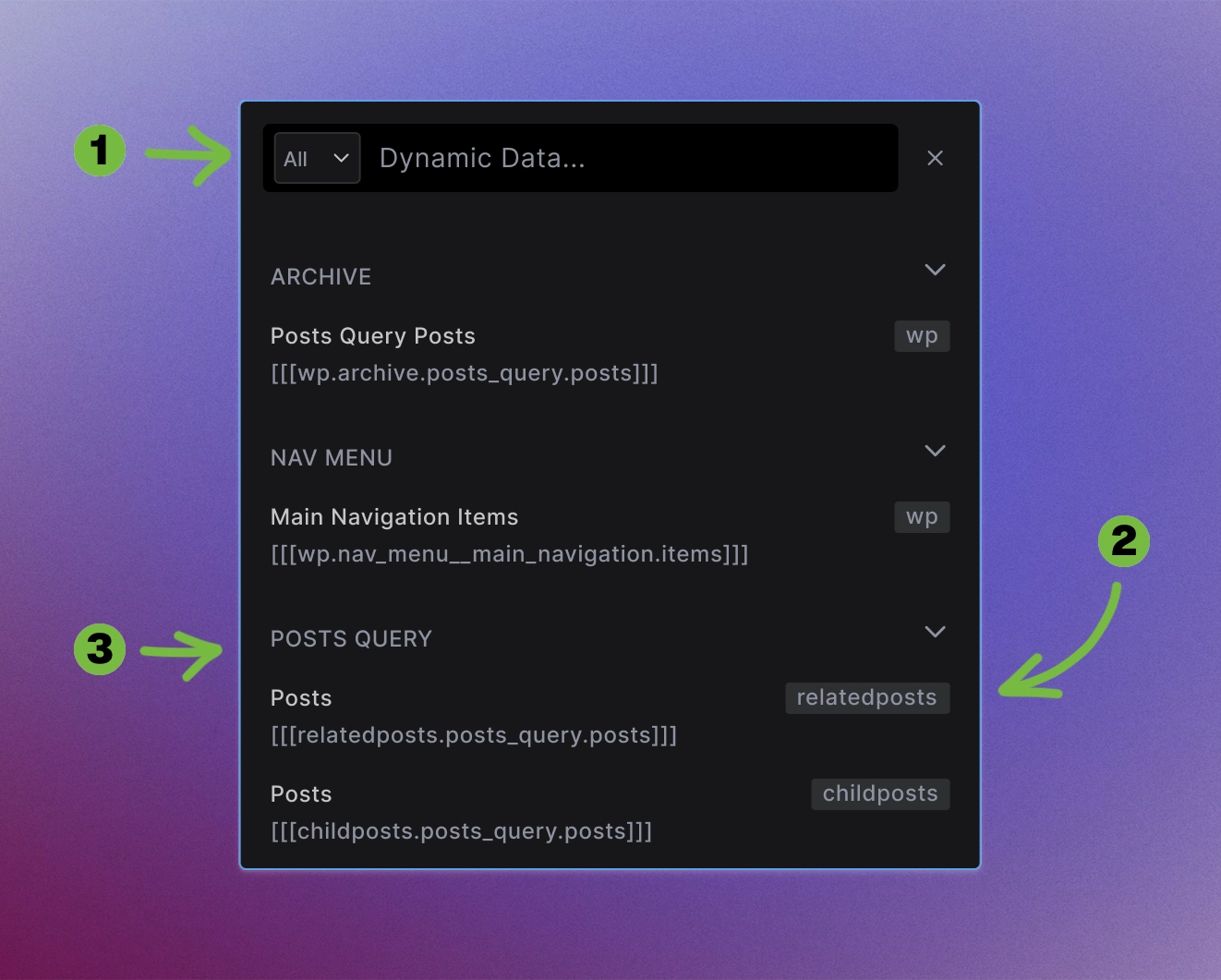
The dynamic data modal provides extensive data source options:
1. Search and filter: Find data sources from various WordPress sources quickly.
2. Categorized options: Data sources are organized by scope (post data, queries, loops, etc.).
3. Source indicators: Each option shows which Data Variable it originates from.
Available source categories:
- ARCHIVE sources: Post queries and archive data for listing pages
- NAV MENU sources: Dynamic navigation from WordPress menus
- POSTS QUERY sources: Custom post loops with various contexts Pro feature
All sources integrate with Builderius GraphQL dynamic data engine for comprehensive WordPress ecosystem integration.
Interactive vs Non-Interactive Mode
Non-interactive mode (default): Standard server-side rendering for most use cases:
<div>
  <!-- Static loop output -->
</div>
Interactive mode: Client-side functionality with facets, filtering, and dynamic updates:
<builderius-collection>
  <!-- Interactive loop with JavaScript functionality -->
</builderius-collection>
To enable interactive mode: Change the HTML tag to <builderius-collection> - this custom web component provides the extra functionality needed for front-end interactivity.
Data Flexibility
Simple arrays: Handle basic data structures:
[1, 2, 3, 4, 5]
Complex objects: Work with nested data:
[
  {
    "title": "Post Title",
    "content": "Post content...",
    "meta": {
      "author": "John Doe",
      "date": "2024-01-01"
    }
  }
]
WordPress integration: Seamlessly loop through posts, custom fields, taxonomies, and more.
Powers Other Elements
Collection serves as the foundation for other interactive elements:
- Menu Builder - Uses Collection internally for dynamic navigation
- Dynamic Tabs - Generates tab buttons and content from data arrays
- Custom components - Any element needing repeating functionality
This modular approach keeps Builderius lightweight while providing unlimited possibilities.
Version Differences
Builderius Free includes:
- Main WordPress post loop (on archive and blog index pages)
- Dynamic menu generation
- REST API endpoints
- Static JSON arrays
Builderius Pro adds:
- Custom queries for posts, taxonomies, users and more
- ACF repeater fields and flexible content
- Advanced WordPress queries
- Any array data source that outputs JSON
Use Cases
- Blog post listings with custom layouts
- Product catalogs with filtering and sorting
- Team member directories from custom fields
- Portfolio galleries with dynamic categories
- Navigation menus with unlimited nesting
- API-driven content from external services
The power of Collection lies in its simplicity and flexibility - any repeating data, any markup, any loop structure you need.
Next steps: