Heading
The Heading element provides semantic heading structure for your content, using HTML heading tags (<h1> through <h6>) to create proper document hierarchy. Headings are essential for accessibility and SEO.
This is a container element that can use any HTML tag. Learn more about element types →
Heading Levels
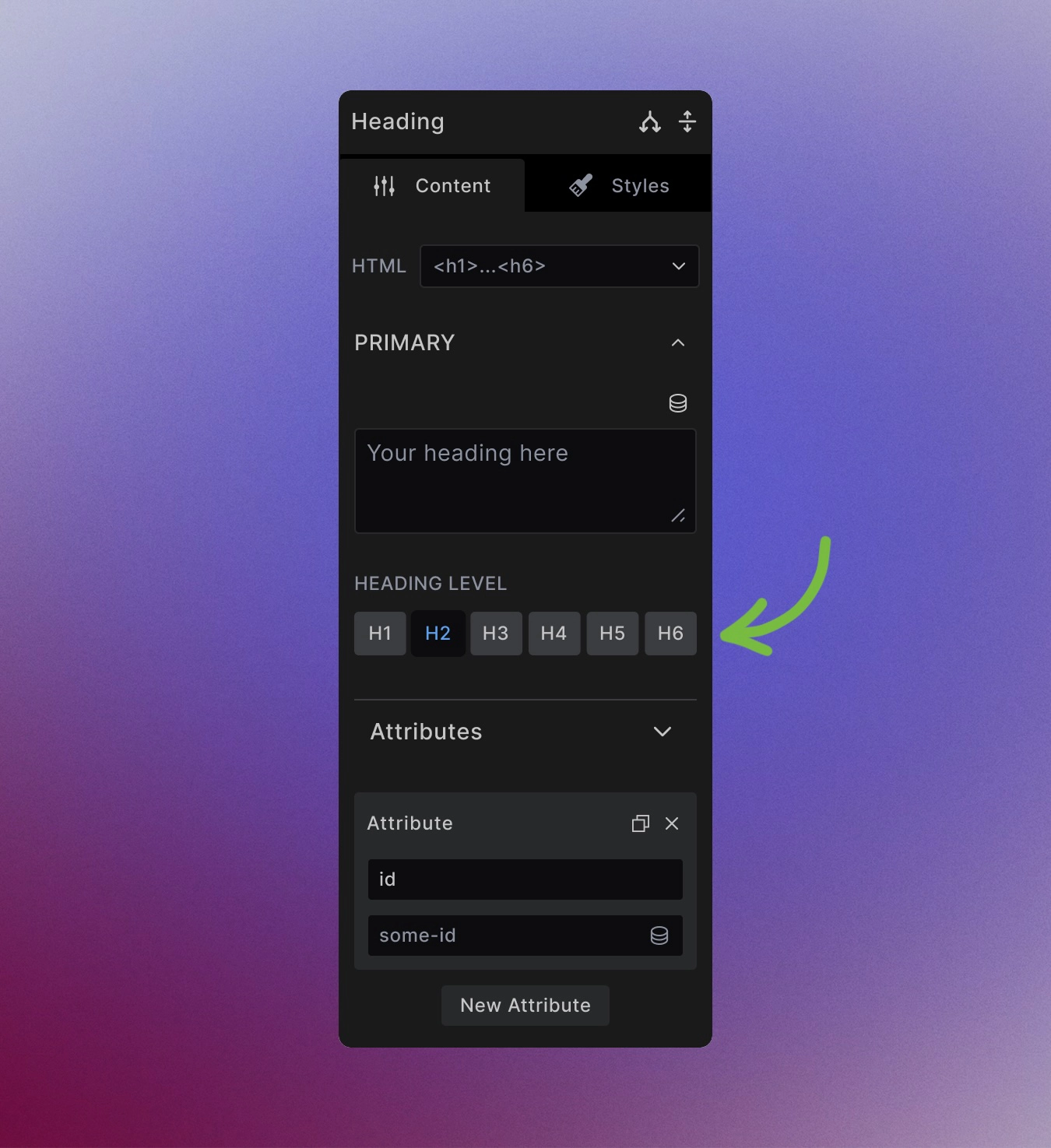
Headings use six semantic levels, each with specific purposes:
- H1 - Main page title (typically one per page)
- H2 - Major section headings
- H3 - Subsection headings under H2
- H4-H6 - Further nested subsections
You can change the heading level by using the heading level controls in the element settings.
<h1>Main Page Title</h1>
<h2>Section Heading</h2>
<h3>Subsection Heading</h3>
Styling Framework Integration
Headings inherit all standard text styling capabilities plus heading-specific features. The framework provides default styling for each heading level that you can customize:
For example H2 has:
h2 {
    --font-size: var(--font--size--4);
    --font-line-height: 1.15;
    --spacing-block-start: var(--size--20)
}
h1, h2, h3, h4, h5, h6 {
    --font-weight: 700;
    font-family: var(--heading-font-family)
}
h1,
.font-size-5,
h2,
.font-size-4,
h3,
.font-size-3,
h4,
.font-size-2,
h5,
.font-size-1,
h6,
.font-size-0 {
    margin-top: 0;
    margin-bottom: var(--spacing--block-end, var(--spacing--block));
    color: var(--text--color--heading);
    font-weight: var(--font--weight);
    font-size: var(--font-size);
    line-height: var(--font-line-height);
    font-family: var(--heading-font-family)
}
You can override these defaults through the use of %local% selector or by creating custom CSS classes.
Semantic Usage Guidelines
Proper heading hierarchy is crucial for accessibility and SEO:
Do use headings for:
- Document structure and organization
- Describing content that follows
- Creating logical content hierarchy
Don't use headings for:
- Pure visual styling (use styled paragraphs or spans instead)
- Making text larger without semantic meaning
- Skipping levels (don't jump from H2 to H4)
Correct hierarchy example:
<h1>About Our Company</h1>
<h2>Our History</h2>
<h3>Founding Years</h3>
<h3>Recent Growth</h3>
<h2>Our Team</h2>
<h3>Leadership</h3>
<h3>Departments</h3>
Accessibility Considerations
Screen reader navigation: Users with screen readers rely on headings to navigate page content. Proper heading hierarchy creates a logical document outline.
Unique IDs for linking: Give important headings unique IDs so they can be linked to directly:
<h2 id="pricing-section">Pricing Plans</h2>
Descriptive text: Heading text should clearly describe the content that follows, not just be decorative.
Best Practices
One H1 per page: Use only one H1 element per page, typically for the main page title or primary content heading.
Don't skip levels: Follow proper hierarchy - don't jump from H2 to H4 without an H3 in between.
Keep headings concise: Aim for clear, scannable heading text that describes the section content.
Consider SEO: Search engines use heading structure to understand your content organization.
Visual vs Semantic Separation
You can style any heading level to look like any other level while maintaining proper semantic structure:
/* Make an H3 look like an H1 visually */
.large-heading {
    font-size: 2.5rem;
    font-weight: bold;
}
This lets you maintain proper document structure while achieving the visual design you need.
Next steps: